A minimal task manager
for your Mac notch.
NotchyTask is a native macOS to-do app that lives in your MacBook notch. Hover to capture a task, organize your list, and get back to work.
Buy NotchyTask — $14.99One-time purchase · 2 Macs · Lifetime updates

See the workflow: open the notch, capture tasks, switch sections, and use AI Sort to review priorities. Read the step-by-step guide.
Your daily to-do list, one hover away
Keep tasks at the top of your Mac screen, without keeping another window open. Add, complete, and manually reorder tasks. When you want help choosing what to do next, AI Sort suggests priorities with a short reason for each task.
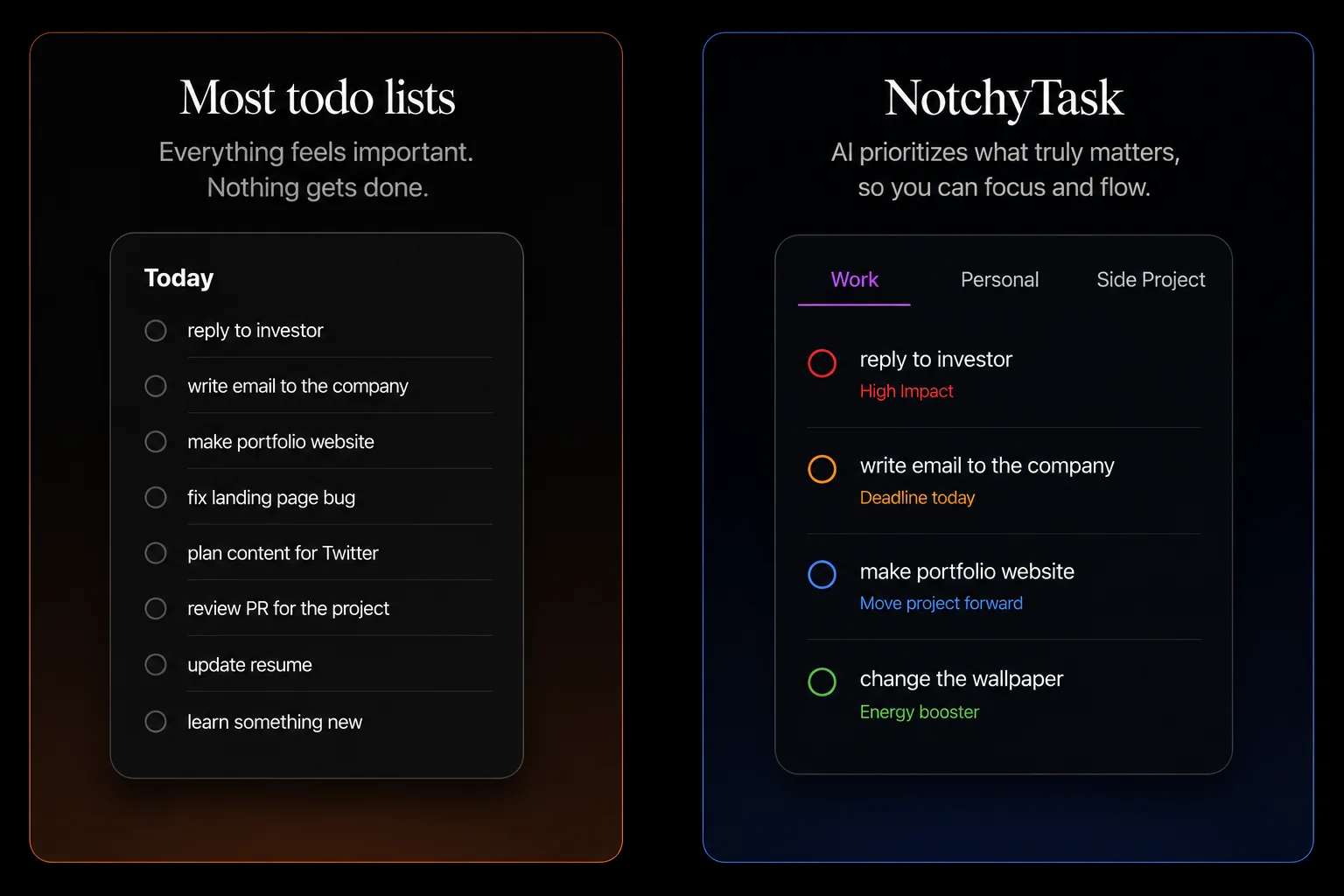
Every section thinks differently.
You teach the AI how.
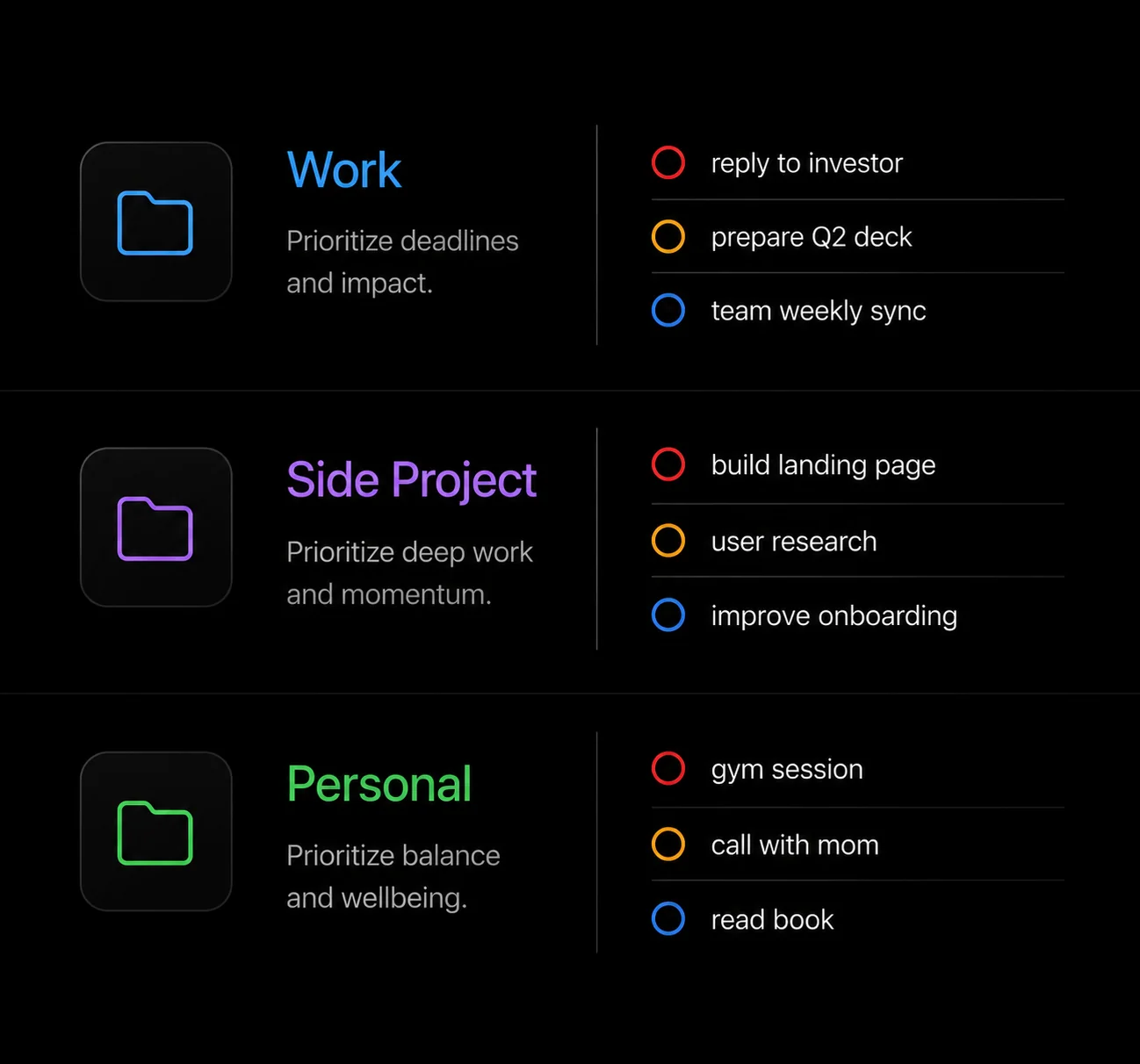
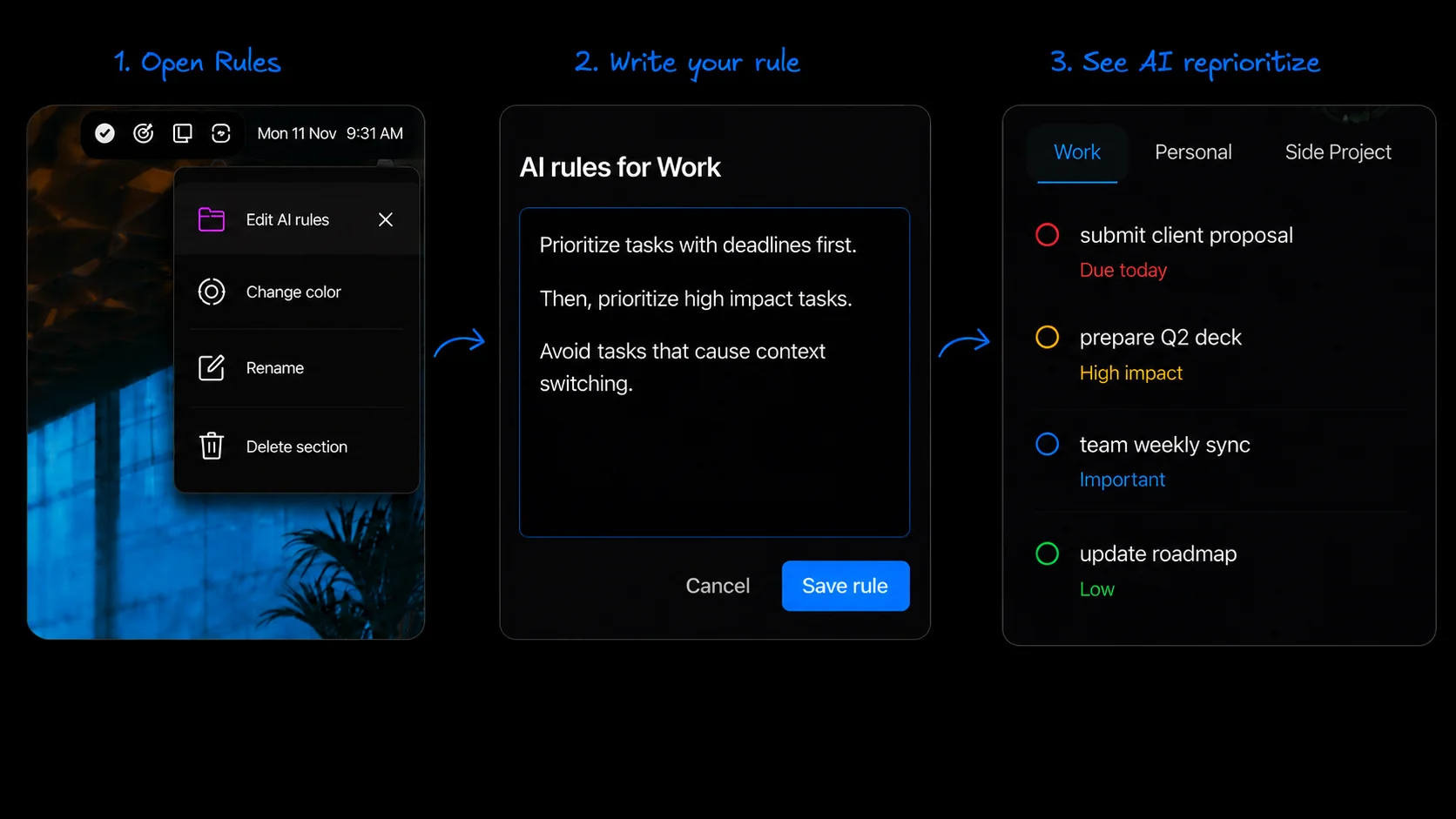
Keep work, personal tasks, and side projects in separate sections. Give each section its own prioritization instructions, then review the suggested High, Medium, and Low priorities. You stay in control of your list.
Built with Apple’s on-device Foundation Models
Your task list is stored locally on your Mac. AI prioritization runs on your device using Apple’s Foundation Models, without sending your task text to a cloud AI service. AI sorting requires Apple Intelligence to be enabled and ready; purchase and license activation use the internet.
Find your fit.
Compare Mac to-do apps →
See how NotchyTask, Things 3, Todoist, and Reminders fit different workflows.
Put your MacBook notch to work →
A practical guide to capturing, organizing, and prioritizing tasks from the notch.
Before you download
Which Macs can run NotchyTask?
NotchyTask requires macOS 26 or later. AI sorting also requires an Apple Intelligence-capable Mac with Apple Intelligence enabled and its models ready. You can add, complete, and manually order tasks without AI sorting.
Does my Mac need a physical notch?
No. NotchyTask uses your MacBook notch when available and provides a top-of-screen overlay on displays without a notch. It is a macOS app, with no iPhone, Windows, or web task client.
Is NotchyTask free or a subscription?
NotchyTask costs $14.99 USD once for a lifetime license covering 2 Macs, including updates. You can download the installer and complete onboarding before buying, but a paid license is required to unlock the main app. There is no free trial.
Are my tasks stored in the cloud?
Your tasks are stored locally, and AI sorting runs on your Mac. NotchyTask does not sync tasks between devices. Checkout and license activation require an internet connection.
How do I get and activate my license?
Buy through PayPal and save the license key displayed after successful payment. Download NotchyTask, complete onboarding, then enter the key to unlock the main app. If you need help, contact Aniket, the maker.
How does NotchyTask compare with other Mac to-do apps?
NotchyTask focuses on quick personal task capture from the notch and local AI prioritization. If you need shared lists or tasks on your phone, another app may fit better. Compare NotchyTask, Things 3, Todoist, and Apple Reminders.
What does the website track?
The website uses Vercel Web Analytics for traffic measurement. A source label, such as Google or a tagged campaign, is kept for the current browser tab and passed with checkout to measure sales. Closing the tab clears the browser label; the order retains its source label. Task content, license keys, and payment details are not included in analytics.

Download NotchyTask for Mac
$14.99 once. Lifetime access, including updates. License for 2 Macs. Download and complete onboarding, then activate your paid license to unlock the main app. No free trial.
Current version 1.2.0
Buy a lifetime license — $14.99
Requires macOS 26 or later. AI sorting requires an Apple Intelligence-capable Mac with Apple Intelligence enabled and ready.
